Sora (OpenAI): The Ultimate Guide to the Future of AI Video Generation
Just now
3+
Description
Introduction: Why Sora (OpenAI) Is a Game Changer
Artificial intelligence has already transformed how we write, design, search, and communicate. But one frontier remained especially challenging: high-quality video generation from simple text prompts. With the release of Sora (OpenAI), that frontier is no longer out of reach. Sora represents a major leap forward in generative AI, enabling users to create cinematic, realistic, and imaginative videos from plain language descriptions.
Thank you for reading this post, don't forget to subscribe!Whether you are a content creator, marketer, educator, filmmaker, or entrepreneur, understanding Sora (OpenAI) is becoming essential. This guide explores what Sora is, how it works, what makes it different from earlier AI video tools, practical use cases, limitations, ethical considerations, and what the future may hold.
By the end of this article, you’ll have a complete, practical understanding of Sora (OpenAI) and how it can reshape your creative workflow.
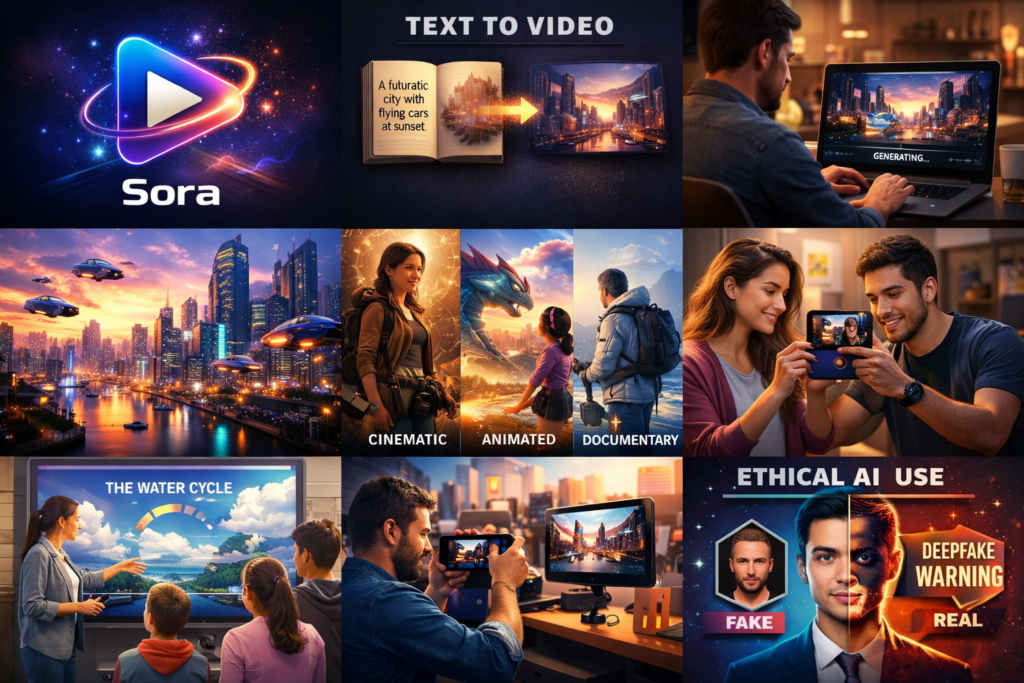
What Is Sora (OpenAI)?
Sora (OpenAI) is a cutting-edge text-to-video AI model developed by OpenAI. It generates realistic and stylized videos—often up to a minute long—based on natural-language prompts. You can describe a scene, a story, or even abstract concepts, and Sora converts that text into moving visuals that resemble real-world footage or cinematic animation.
At its core, Sora (OpenAI) is designed to understand both language and visual dynamics: how objects move, how light interacts with surfaces, how people behave, and how scenes evolve over time. Unlike earlier video generators that produced short, choppy clips with inconsistent frames, Sora maintains coherence across time, creating scenes that feel continuous and purposeful.
Key Capabilities of Sora (OpenAI)
- Text-to-Video: Generate videos directly from written prompts.
- Image-to-Video: Animate or extend still images into motion.
- Video Editing: Extend, remix, or modify existing clips.
- Style Control: Create videos in cinematic, animated, photorealistic, or artistic styles.
- Scene Consistency: Maintain characters, lighting, and environments across frames.
In short, Sora (OpenAI) aims to become for video what large language models are for text: a creative engine that turns ideas into finished outputs.

How Sora (OpenAI) Works: A Simplified Technical Overview
While the underlying technology is complex, the core ideas behind Sora (OpenAI) can be understood at a high level.
1. Multimodal Understanding
Sora is multimodal, meaning it understands and connects text, images, and video. When you type a prompt like:
“A cinematic drone shot of a futuristic city at sunset, with flying cars and neon lights.”
Sora interprets:
- The setting (futuristic city),
- The camera style (drone shot),
- The lighting (sunset, neon),
- The motion (flying cars),
and then translates these concepts into a sequence of frames.
2. World Modeling
One of the most impressive aspects of Sora (OpenAI) is its ability to simulate aspects of the physical world. It understands:
- How shadows move with light,
- How people walk or interact with objects,
- How environments respond to motion.
This is sometimes described as “world modeling”—the AI doesn’t just draw images; it builds an internal representation of how a scene should behave over time.
3. Temporal Coherence
Earlier AI video tools often struggled with consistency: characters would change faces, objects would disappear, and scenes would “jump.” Sora (OpenAI) addresses this with advanced temporal modeling, ensuring that:
- Characters remain the same across frames,
- Movements follow natural physics,
- Transitions feel smooth and cinematic.
4. Diffusion and Generative Architecture
Sora builds on modern diffusion models and generative architectures that progressively refine noise into detailed imagery—frame by frame—guided by the text prompt. This allows Sora to:
- Start with a rough concept,
- Add structure,
- Refine textures, lighting, and details,
- Deliver a polished video.

Why Sora (OpenAI) Is Different from Other AI Video Tools
Before Sora, several AI tools offered basic text-to-video features. However, most were limited in length, realism, or consistency. Sora (OpenAI) stands out in several crucial ways.
1. Video Length and Complexity
Many earlier tools generated only 3–10 second clips. Sora (OpenAI) can create videos approaching one minute with multiple shots, complex movements, and evolving scenes.
2. Cinematic Quality
Sora understands film language:
- Camera angles (close-ups, wide shots),
- Camera motion (pans, zooms, tracking shots),
- Lighting styles (soft, dramatic, neon),
- Visual storytelling.
This allows creators to produce cinema-style videos without traditional filming equipment.
3. Creative Prompting
With Sora (OpenAI), you can describe not just visuals but stories and moods:
- “A melancholic short film about a robot walking through a rainy city.”
- “A joyful animated scene of children playing under glowing lanterns.”
Sora responds with videos that reflect not just the objects but the emotion of your prompt.
4. Editing and Remixing
Beyond generation, Sora (OpenAI) can:
- Extend a clip beyond its original length,
- Replace elements in a scene,
- Change visual style while preserving content.
This transforms Sora into a creative editor, not just a generator.

Practical Use Cases of Sora (OpenAI)
1. Content Creation and Social Media
Short-form video dominates platforms like YouTube, Instagram, TikTok, and Facebook. Sora (OpenAI) enables creators to:
- Produce visually stunning videos without cameras or crews,
- Experiment with styles and storytelling,
- Post high-quality content faster and more consistently.
Creators can test ideas quickly—if a concept works, they scale it; if not, they move on.
2. Marketing and Advertising
Brands can use Sora (OpenAI) to:
- Generate product demos,
- Create promotional clips in multiple styles,
- Visualize campaigns before production.
Instead of spending thousands on initial shoots, marketers can prototype with Sora, refine concepts, and then decide whether to proceed with traditional filming.
3. Education and E-Learning
Teachers and course creators can turn lessons into engaging videos:
- Historical reconstructions,
- Scientific simulations,
- Animated explainers.
For example, a teacher might prompt:
“A visual explanation of how the water cycle works, in a colorful animated style.”
Sora (OpenAI) can generate a video that makes abstract concepts tangible and memorable.
4. Film, TV, and Storyboarding
Filmmakers can use Sora for:
- Storyboarding scenes,
- Pre-visualization,
- Concept trailers.
This reduces pre-production costs and helps directors and producers align on a creative vision before expensive shoots begin.
5. Gaming and Virtual Worlds
Game developers and virtual-world designers can:
- Generate cutscenes,
- Create environmental animations,
- Prototype new worlds.
Sora (OpenAI) becomes a tool for rapid world-building.
6. Journalism and News Visualization
Newsrooms can visualize:
- Future scenarios,
- Reconstructions of events,
- Data-driven stories.
Used responsibly and transparently, Sora (OpenAI) can enhance storytelling while clearly labeling AI-generated content.
How to Use Sora (OpenAI): A Step-by-Step Workflow
While access methods may evolve, the general workflow of Sora (OpenAI) looks like this:
Step 1: Define Your Goal
Ask:
- What is the purpose of the video?
- Who is the audience?
- What emotion or message should it convey?
Clarity here leads to better results.
Step 2: Write a Detailed Prompt
Your prompt is the blueprint. Effective prompts include:
- Subject: Who or what is in the scene?
- Setting: Where does it take place?
- Style: Cinematic, animated, documentary, etc.
- Mood: Happy, dramatic, futuristic, nostalgic.
- Camera: Wide shot, close-up, slow pan, aerial view.
Example Prompt:
“A cinematic wide shot of a desert at golden hour. A lone traveler walks toward a glowing futuristic city on the horizon. Warm lighting, soft lens flare, dramatic clouds, slow camera pan.”
Step 3: Generate and Review
Let Sora (OpenAI) produce the video. Review for:
- Visual accuracy,
- Scene consistency,
- Emotional tone.
Step 4: Edit and Refine
If available:
- Extend the video,
- Replace objects,
- Adjust style.
Iterate until the result matches your vision.
Step 5: Export and Publish
Use the final video for your platform—social media, ads, presentations, or websites.
Prompt Engineering for Sora (OpenAI): Tips for Better Results
To get the most out of Sora (OpenAI), follow these best practices:
1. Be Specific, Not Vague
Instead of:
“A city at night.”
Try:
“A futuristic city at night with glowing skyscrapers, flying vehicles, neon signs, and a rainy atmosphere.”
2. Use Visual Language
Include words related to:
- Lighting (soft, harsh, neon),
- Camera (aerial, tracking shot, close-up),
- Textures (metallic, glass, fabric).
3. Set the Mood
Add emotional cues:
- “Melancholic,”
- “Hopeful,”
- “Energetic.”
4. Limit Overcrowding
Too many elements can confuse the model. Focus on one main idea per scene.
5. Iterate
Great results often come from refining prompts over multiple generations.
Limitations of Sora (OpenAI)
Despite its power, Sora (OpenAI) is not perfect.
1. Physical Inaccuracies
Occasionally:
- Objects behave unnaturally,
- Movements may break real-world physics,
- Complex interactions (e.g., hands, crowds) may appear inconsistent.
2. Prompt Misinterpretation
If a prompt is ambiguous, Sora may:
- Emphasize the wrong detail,
- Miss the intended style or mood.
3. Resource and Access Constraints
High-quality generation requires:
- Significant computing power,
- Potential usage limits or costs.
4. Ethical and Copyright Concerns
AI-generated videos raise questions about:
- Ownership of content,
- Use of styles resembling real artists,
- Deepfake misuse.
OpenAI applies safeguards, but users must act responsibly.
Ethical Use of Sora (OpenAI)
1. Transparency
Always disclose when content is AI-generated—especially in journalism, advertising, or political contexts.
2. Avoid Deception
Do not use Sora (OpenAI) to:
- Create fake news,
- Impersonate real individuals,
- Spread misinformation.
3. Respect Creative Rights
Avoid prompting Sora to replicate:
- Specific artists’ unique styles without permission,
- Copyrighted characters or properties for commercial use.
4. Responsible Storytelling
AI is a tool. The responsibility for how it is used lies with the creator.
Sora (OpenAI) vs Traditional Video Production
| Aspect | Traditional Video | Sora (OpenAI) |
|---|---|---|
| Cost | High (crew, equipment, locations) | Low to moderate |
| Speed | Weeks or months | Minutes to hours |
| Flexibility | Limited once filmed | Highly editable |
| Skill Barrier | Requires technical expertise | Accessible to non-experts |
| Realism | Real footage | AI-generated realism |
Sora (OpenAI) does not replace traditional filmmaking entirely, but it democratizes video creation—making high-quality visuals available to individuals and small teams.
Business Opportunities with Sora (OpenAI)
1. AI Video Services
Freelancers can offer:
- Promotional videos,
- Explainer videos,
- Social media content.
2. Educational Content Creation
Create courses, tutorials, and visual lessons faster and at lower cost.
3. Branding and Social Media Agencies
Agencies can scale production, testing multiple creative concepts without high upfront costs.
4. Entertainment Prototyping
Writers and directors can pitch stories with AI-generated trailers or storyboards.
The Future of Sora (OpenAI)
1. Longer and More Complex Videos
Expect:
- Multi-minute videos,
- More consistent characters,
- Advanced storytelling.
2. Real-Time Generation
Future versions may enable:
- Live scene creation,
- Interactive video worlds.
3. Deeper Editing Tools
Imagine:
- Changing weather in a scene,
- Replacing actors with AI characters,
- Altering lighting after generation.
4. Integration with Other AI Tools
Sora (OpenAI) could integrate with:
- Script-writing AIs,
- Music generators,
- Voice synthesis tools,
creating full video productions from a single prompt.
Frequently Asked Questions About Sora (OpenAI)
Is Sora (OpenAI) free?
Access models and pricing may vary. Some features may be available through subscriptions or limited trials.
Can I use Sora (OpenAI) for commercial projects?
Generally yes, depending on OpenAI’s terms of service. Always review licensing rules.
Does Sora (OpenAI) replace video editors?
No. It enhances creativity but does not replace human judgment, storytelling, or professional editing.
Is content from Sora (OpenAI) copyright-free?
Ownership depends on OpenAI’s policies and your usage rights. Always verify before commercial use.
Best Practices for SEO Using Sora (OpenAI) as a Focus Keyword
If you’re publishing content about Sora (OpenAI):
- Use the keyword in:
- Title,
- First paragraph,
- Subheadings,
- Image alt text,
- Meta description.
- Maintain natural language—avoid keyword stuffing.
- Add internal links to related AI topics.
- Include structured sections (FAQs, comparisons, how-to).
Conclusion: Why Sora (OpenAI) Matters
Sora (OpenAI) is not just another AI tool—it marks a turning point in how humans create and consume video. By transforming text into high-quality moving visuals, it lowers barriers to creativity, accelerates production, and opens new possibilities across education, business, entertainment, and storytelling.
While challenges remain—ethical concerns, technical limitations, and questions of ownership—the potential is undeniable. Those who learn to use Sora (OpenAI) effectively today will be at the forefront of tomorrow’s creative economy.
Whether you are a student, entrepreneur, artist, or marketer, one thing is clear: the future of video is being written in text—and Sora (OpenAI) is leading the way.
Download links
How to install Sora (OpenAI): The Ultimate Guide to the Future of AI Video Generation APK?
1. Tap the downloaded Sora (OpenAI): The Ultimate Guide to the Future of AI Video Generation APK file.
2. Touch install.
3. Follow the steps on the screen.